Turn Your Photos Into Custom Paint-by-Number Canvases
Free, browser-based paint-by-numbers generator. No signup required—runs entirely on your device.
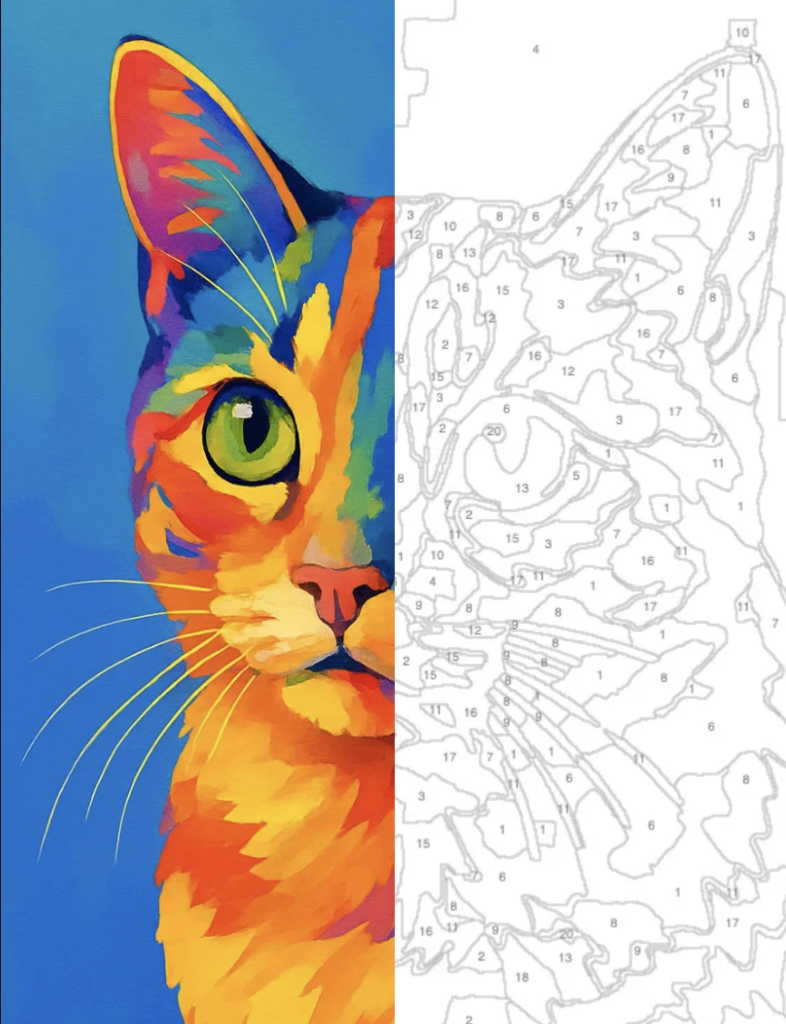
Free, browser-based paint-by-numbers generator. No signup required—runs entirely on your device.
Select any image from your device (JPG, PNG, or WebP). We'll guide you through adjusting colors and detail level.
Customize the number of colors, detail level, and segmentation. See a live preview of your template as you adjust.
Get the paint-by-number outline template, color reference image, and a hex/RGB color legend.
Print your template and color reference. Grab paints and let the creative process begin!
Uses standard paint palettes so you can easily buy or mix colors. No guessing—get exact hex and RGB codes for each region.
Generates both a detailed outline template and a color reference image. Everything you need for a polished final piece.
All processing happens locally on your device. No cloud uploads, no servers, no tracking. Your image stays private.
Start generating right away. No account required, no hidden fees. Just open the app and go.
Modern algorithms deliver sharp, professional templates in seconds. Works with any photo you throw at it.
Download high-resolution PNG files optimized for printing. Perfect for displaying your finished artwork.
Yes. Images are processed locally in your browser—they are never uploaded to a server and not stored anywhere. All computation happens on your device using standard web technologies. Your privacy is our priority.
No. Only upload images that you own or have explicit rights to use. This includes personal photos, your own artwork, images you've purchased licenses for, or content in the public domain. Using copyrighted or trademarked material without permission is illegal and against our terms. All use is at your own risk, and DIYNumberPaint.com is not liable for any copyright or trademark infringement.
No, it's completely free. DIY Number Paint is offered at no cost and requires no account, subscription, or payment. There are no hidden fees or upsells. Simply open the generator and start creating.
We accept JPG, PNG, and WebP image files. The maximum file size is 10 MB. These formats cover the vast majority of digital photos and images. If you have a different format, you can convert it using free tools like Convertio or CloudConvert.
Clear, well-lit photos with strong composition work best. Images with good color contrast and distinct subjects (like portraits, landscapes, or objects) produce the most striking paint-by-number templates. Avoid very dark photos or high-contrast black-and-white images—adjusting the color and detail sliders can help refine the output.
No. Images and all data remain on your device. The generator processes everything locally in your browser. We do not upload, store, or track your files or usage. Once you close the page, nothing remains on our servers.
You may use templates generated from images you own or have rights to for personal, non-commercial use. Commercial use (selling paintings, prints, or templates) is not permitted unless you have explicit rights to the original image. Always respect copyright and intellectual property laws.